

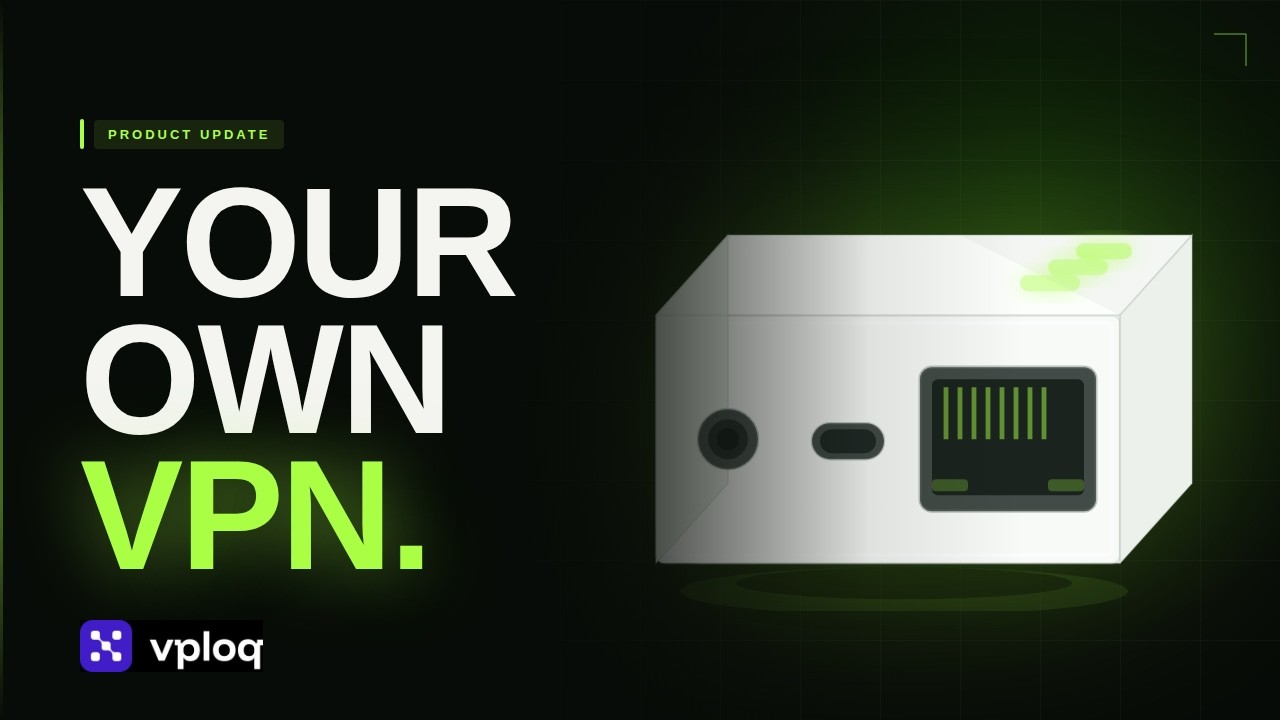
 Product Update
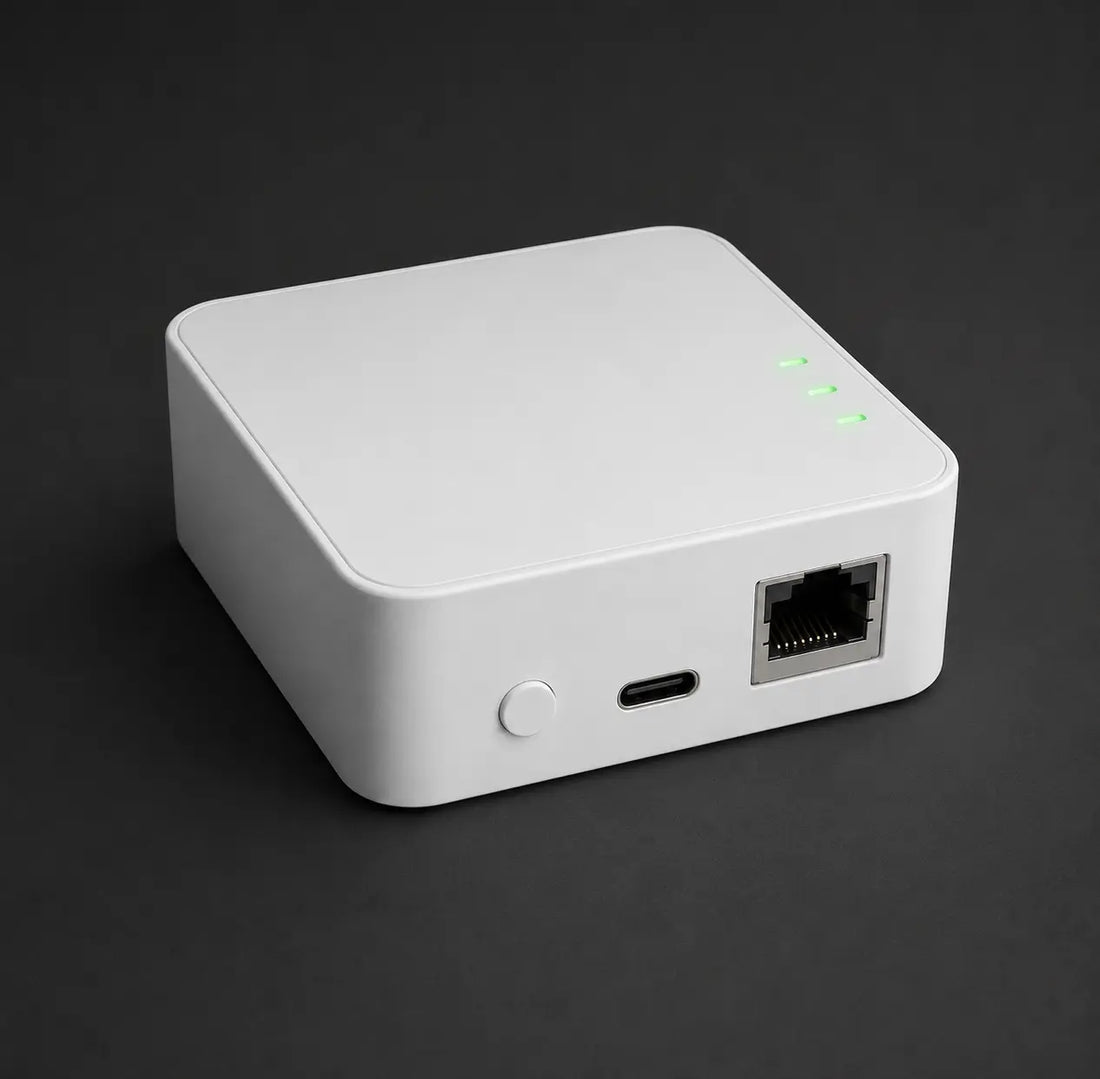
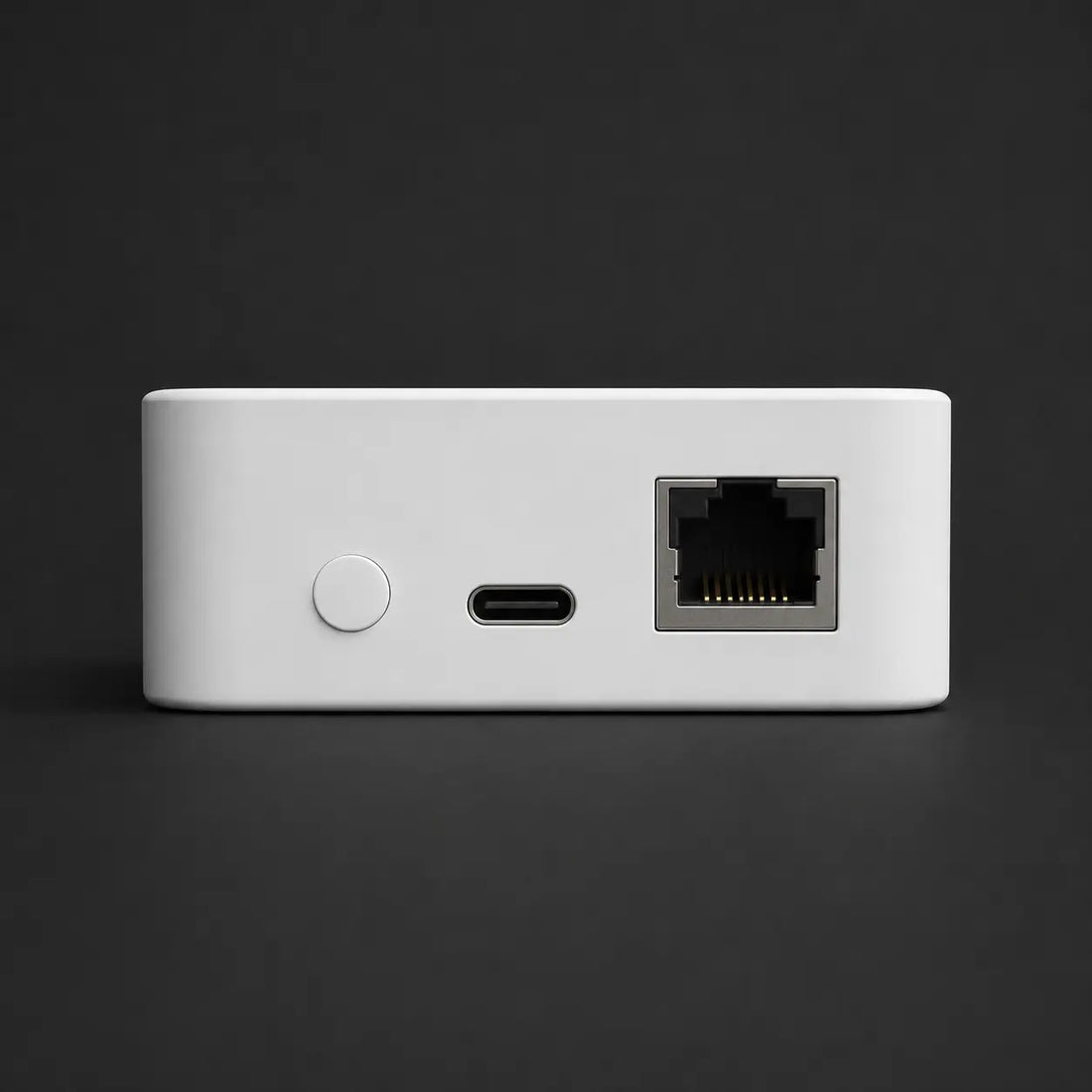
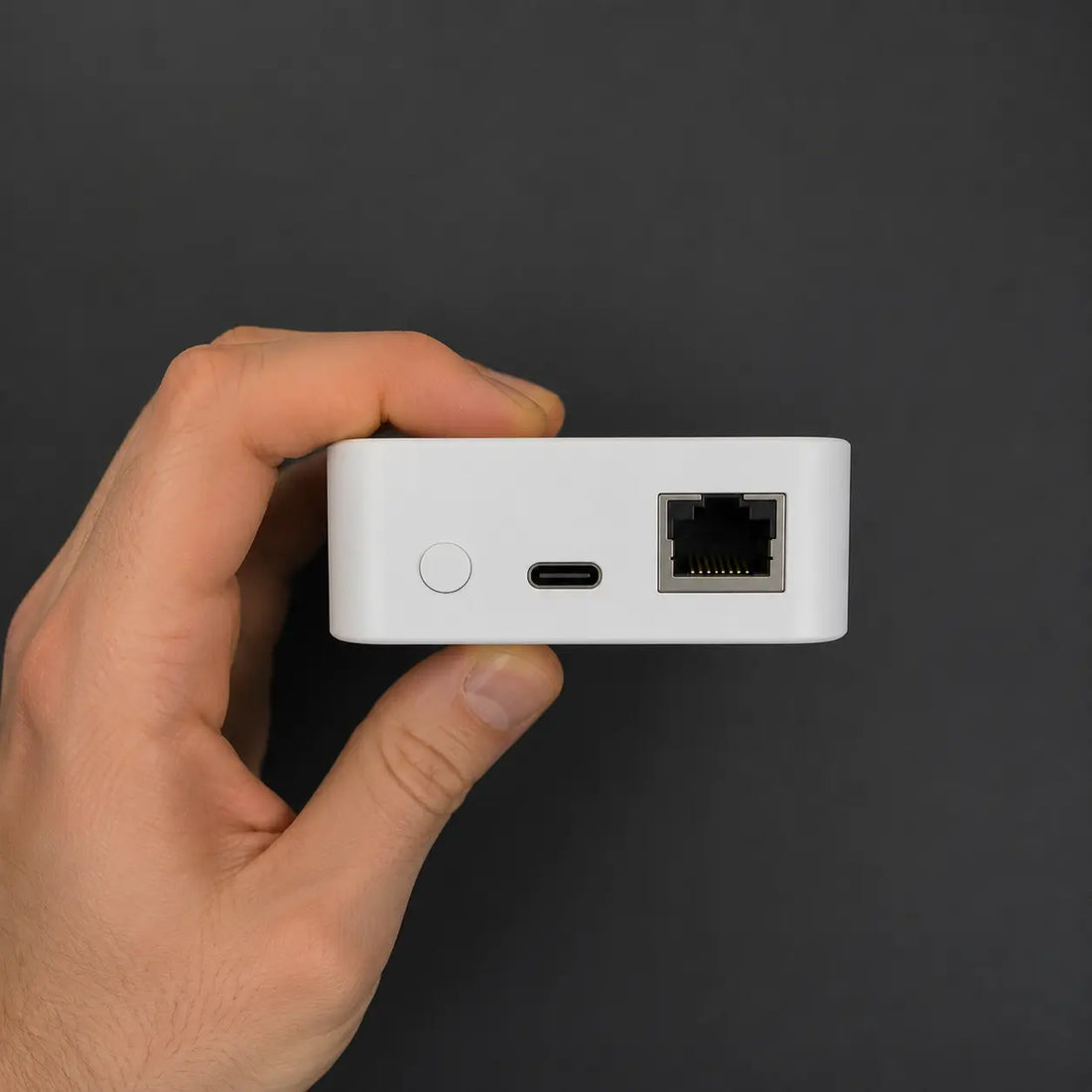
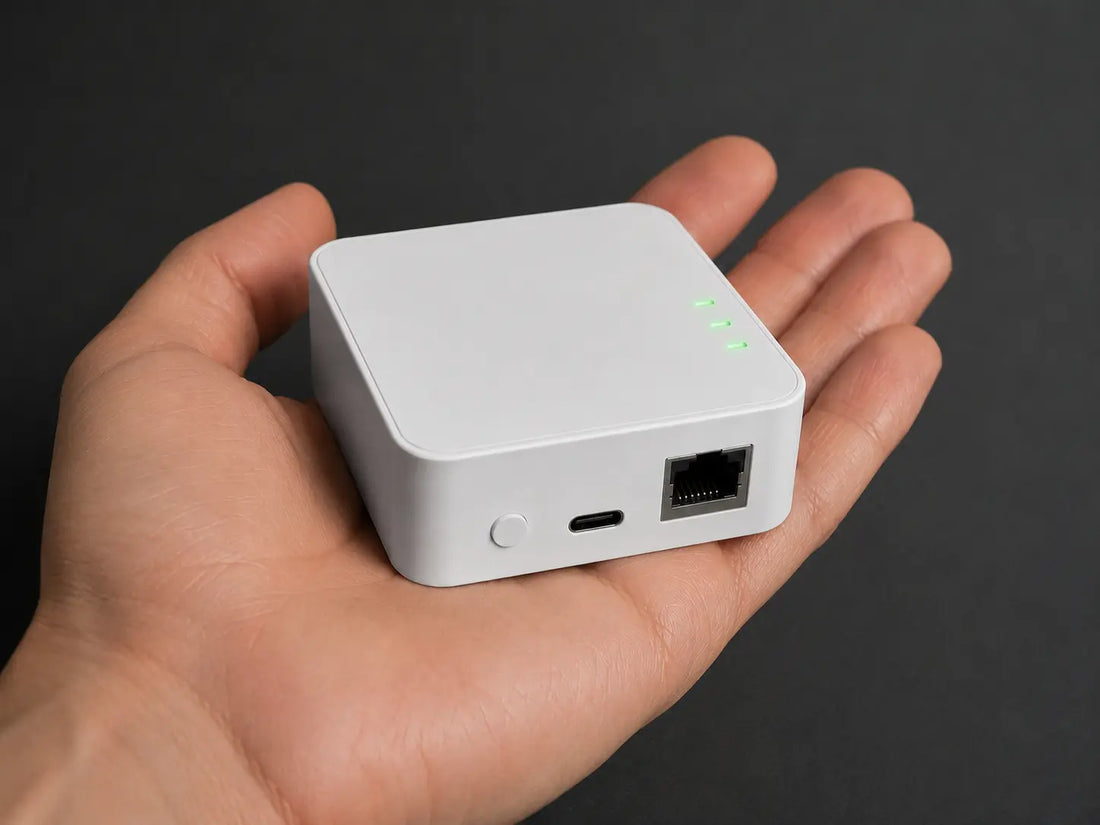
 70 × 70 × 25 mm. Passively cooled, no fan.
Home network access device
4,000+ people on the waitlist
vploq Home
$224.99Pay once$249.00
−9%
2-year warranty
Full refund
No subscription
Keys stay local
A small box that plugs into your router. Your phone and laptop then behave as if they never left the house.
Batch 1 · only 526 of 1000 availableSHIPS NOVEMBER 2026
Fully refundable until your unit ships.
Explain it to me as
-
Set up in under five minutesPlug it in, scan a code. There is nothing to configure.
-
Works on any Wi-Fi, anywhereHotel, cafe, airport. Your phone behaves as if it were at home.
-
You arrive as your own addressSites see your home IP, the one you have always had. Not an anonymous one.
-
Whole family coveredEvery phone and laptop, one box. No per-device fee, ever.
-
WireGuard, keys generated on-deviceNo key escrow. Nothing to subpoena from us.
-
No port forwarding or DDNS requiredOutbound tunnel establishment, works behind CGNAT.
-
Full LAN reachabilityYour NAS, cameras, printers and dev boxes, on their real addresses. Egress is your home WAN IP.
-
Whole family coveredEvery phone and laptop is its own peer with its own key. One box, no per-seat licence.
Pre-order, ships November 2026You are reserving a unit from the first production run. Charged today, cancellable for a full refund any time before your unit ships.
Not ready yet? Watch us build it →
Already plugged in
What is in the box
- 01 vploq Home70 × 70 × 25 mm · 96 g
- 02 Ethernet cableShort, for the box to your router
- 03 USB-C power cableUse any 5 V / 2 A adapter
- 04 Quick-start cardPrinted once, never stored by us
Specs at a glance
- Throughput
- Up to 300 Mbit/s
- Ports
- 1× Gigabit Ethernet, 1× USB-C
- Size
- 70 × 70 × 25 mm
- Power
- About 2.5 W
- OS
- vploq Linux, OTA updates
- Your home upload
- 50 Mbit/s recommended
Shipping
Batch 1 ships November 2026 from our fulfilment partner. We currently ship to the United Kingdom only, and shipping is not included. The cost is shown at checkout before you pay. You get a tracked dispatch email with your exact date roughly two weeks before your unit leaves.
Returns and cancellation
Cancel any time before dispatch for a full refund, no questions. After delivery you have 30 days to return it for any reason, and we cover return shipping.
Payment
Your card is charged when you reserve, which is what funds the production run.
vploq HomePRE-ORDER · SHIPS NOVEMBER 2026
$224.99
No subscriptionYour own home IP
WireGuardKeys never leave the box
No port forwardingWorks behind CGNAT
Zero traffic logsUpdates for the life of the device
Built in publicShips November 2026
The idea in one picture
On café Wi-Fi? You are still home.
vploq builds an encrypted tunnel from wherever you are, straight to the box in your living room. Reach every device at home and arrive on the internet from your own address, anywhere in the world.
exposed traffic · NAS and cameras unreachable · home services treat you as a stranger your own home address everywhere · devices and home services work as usual
Your privacy on the spot
The café network can watch where your traffic goes.
Encrypted end to end. The café network sees only noise.
Your home devices
NAS, cameras and smart home are unreachable from outside.
Reachable from anywhere, as if you never left the house.
Your home services
Logins and home-only services treat you as a stranger abroad.
You arrive from your own address, so everything behaves as usual.
Setup
Three steps.
No port forwarding.
If you can plug in a lamp and install an app, you can do this. Nothing to configure on your router.
01
Plug it into your router
Ethernet in, USB-C for power. The status light goes green when it has found its way out, usually in under a minute.

02
Pair the app
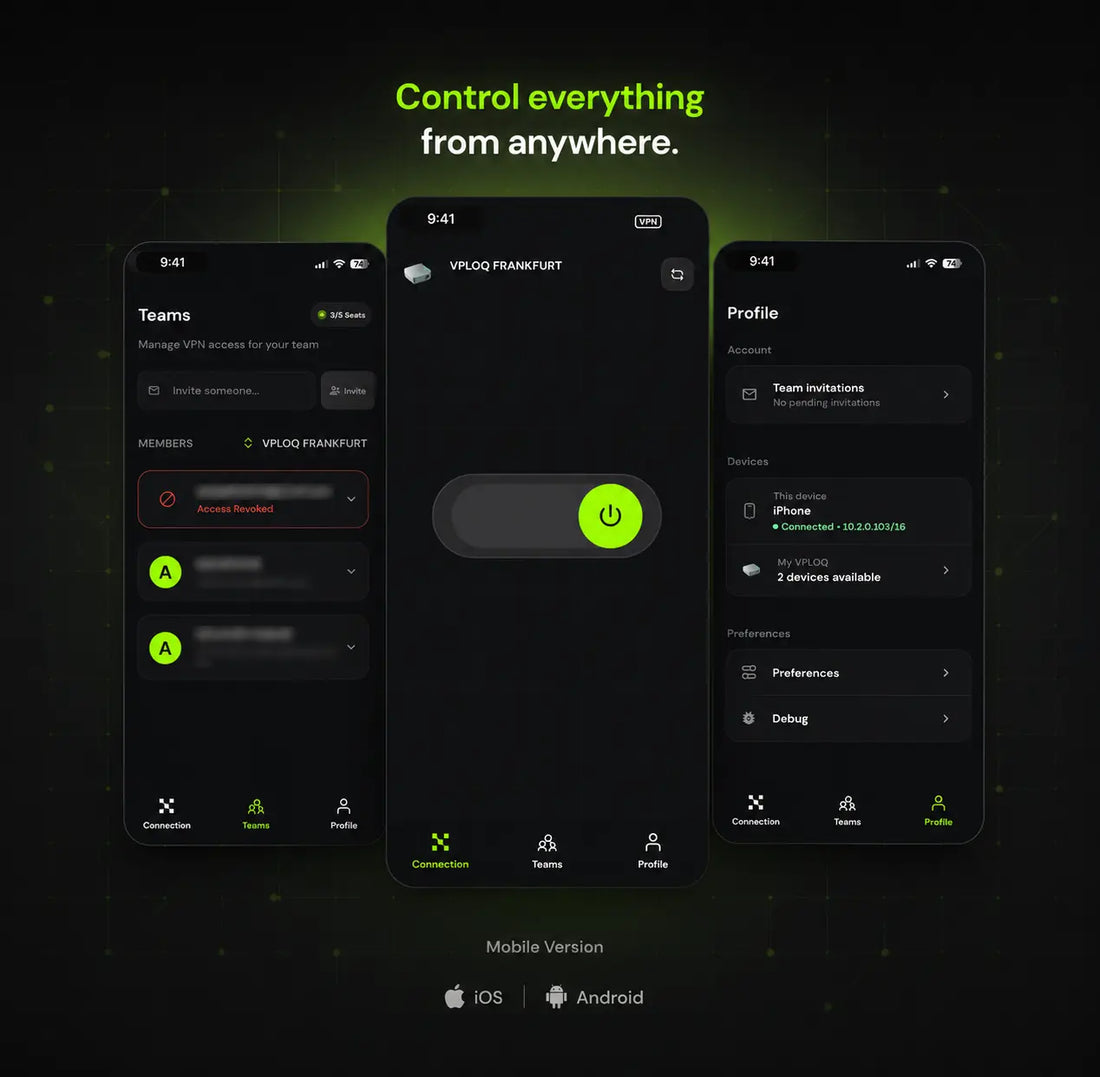
Install the vploq app on your phone, laptop or tablet and scan the code on the quick-start card. That is the entire pairing process.

03
Turn it on from anywhere
One tap and your device is back on your home network: your NAS, your cameras, your printer, your home IP address.

Everything you need
All the right connections.
Use it forOne box. Every moment
One box. Every moment
away from home.
Traveling
100%Stop traveling like a stranger. With vploq Travel Mode, the world is your office, but your IP address never leaves home.
Streaming
SeamlessWatch your home streaming services exactly as if you were at home. No geo-restrictions, no proxy issues.
Remote Work
SecureStay securely connected to your home network without the need for a traditional VPN. It's as if you never left home!
CCTV & Home Monitoring
PrivateView your home cameras securely from anywhere - without exposing them to the public internet or using third-party cloud services.
Access Any Home Device
AnytimeReach personal servers, NAS, or smart home tools securely from anywhere. Your devices, always accessible.

TravelingYour own address, anywhere

StreamingYour library, abroad

Remote WorkYour files, as if you never left

CCTV & Home MonitoringYour cameras, no cloud

Access Any Home DeviceYour NAS, from the street
Same result.
Without the weekend.
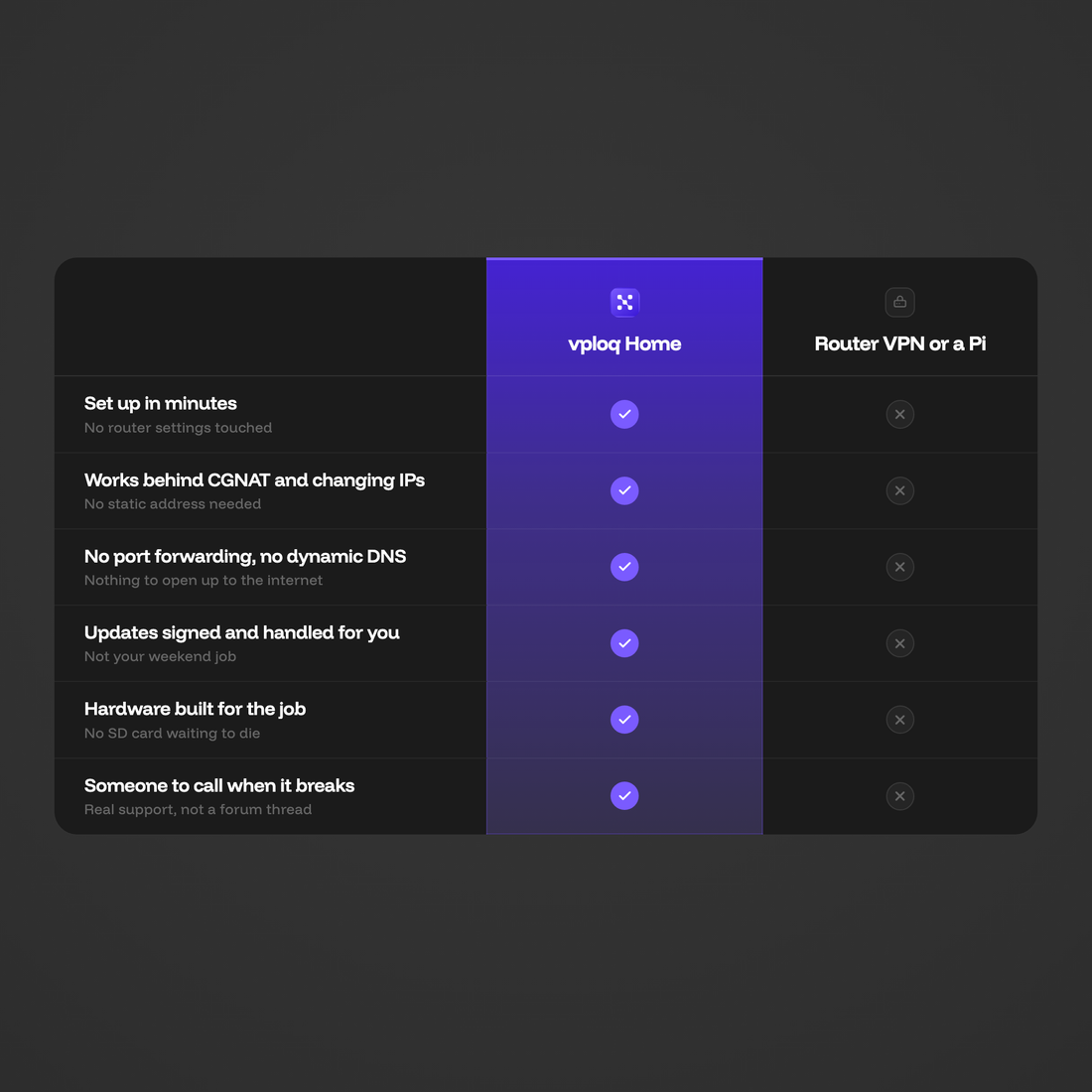
| Feature | 
|
Router VPN or a Pi |
|---|---|---|
| Set up in minutesNo router settings touched | ||
| Works behind CGNAT and changing IPsNo static address needed | ||
| No port forwarding, no dynamic DNSNothing to open up to the internet | ||
| Updates signed and handled for youNot your weekend job | ||
| Hardware built for the jobNo SD card waiting to die | ||
| Someone to call when it breaksReal support, not a forum thread |
Status
Where the project actually stands.
Complete
Hardware architectureINTERFACE AND SOC
Industrial designHOUSING
vploq Linux baseSYSTEM LAYER
Complete
Electrical designSCHEMATIC AND LAYOUT
Core firmwareSTABILISATION
OTA infrastructureUPDATE PIPELINE
Not started
Global rolloutDISTRIBUTION
Multi-device profilesECOSYSTEM
Feature updatesSOFTWARE
Development log
We film every step,
including the ones that fail.
You are pre-ordering hardware from a small team, so the schedule is worth exactly as much as the evidence behind it. Here is the evidence.
Product Update
 Development Update
02·February 2026·3:06
Development Update
Live demo, firmware progress, and hardware validation results.
 Introducing vploq
The next episode lands in April. Everyone who reserved a unit gets it by email first.
Early adoptersBuilt in public,
Built in public,
tested in real homes.
I have tried setting up WireGuard on a Raspberry Pi three times. The first attempt died on certificates, the second on dynamic DNS, the third I abandoned when my ISP moved me behind CGNAT and nothing I had built worked any more. vploq did in five minutes what I never finished in three weekends, and I have not thought about it since.
A
Alexander
My family does not even know it exists. Their phones are just safe now, on every hotel Wi-Fi. That is the whole point.
M
Marco
My NAS is reachable from a hotel room now, and I never opened a single port to get there.
N
Nate
Product updates
Shipping starts November 2026.
Not ready to decide yet?
Get notified when it's available.
Questions
Before you reserve
01 How is vploq different from a regular VPN?
Traditional VPNs connect you to someone else's network. vploq connects you back to your own: your home, your data, your devices.
02 Who is vploq for?
For anyone who wants simple, private access to their digital life: remote professionals, travelers, and small businesses alike.
03 Is there any subscription?
No. vploq is a one-time purchase with zero monthly fees. We provide 5 years of free firmware updates and support. After that, core functionality remains free for life.
04 Do I need technical knowledge to set it up?
No. vploq is plug-and-play. Just connect it to your home network and install the app. No manual setup required.
05 Can I use vploq on any device?
Yes. It works across macOS, Windows, iOS, and Android, on desktop, tablet, or mobile.
06 How secure is the connection?
All connections are end-to-end encrypted with modern cryptography. Only your devices can decrypt the data. Not even we can access it.
07 How many devices can I connect?
You can connect up to 5 devices for free at the same time.
08 Will my speed be affected?
Your speed depends mainly on your home internet connection. vploq is optimized for high performance and supports speeds of up to 1 Gb/s, making it suitable for streaming, video calls, and remote work.
We recommend at least 50 Mbit/s upload at home: your traffic comes out of your home line, so that upload speed is the ceiling for everything you do while away.